Advanced AI Image Prompts: How to Control Style, Lighting, and Composition with ChatGPT
Mastering Advanced AI Image Prompts is the key to unlocking stunning visuals with tools like Midjourney, DALL·E and other AI art generators. While it may seem like magic, crafting precise visual prompts is a skill that combines photography, design, and storytelling — all transformed into words. In this article, you’ll learn how to take full control over style, lighting, and composition using ChatGPT as your creative copilot.
What Are Advanced AI Image Prompts?
Advanced AI Image Prompts are carefully constructed text instructions that guide image generation tools to produce highly specific results. They include technical cues about visual style, camera angle, lighting, texture, mood, and even lens specifications — much like a film director briefing their crew.
These prompts go far beyond simple descriptions like “a cat on a couch.” Instead, they look more like this:
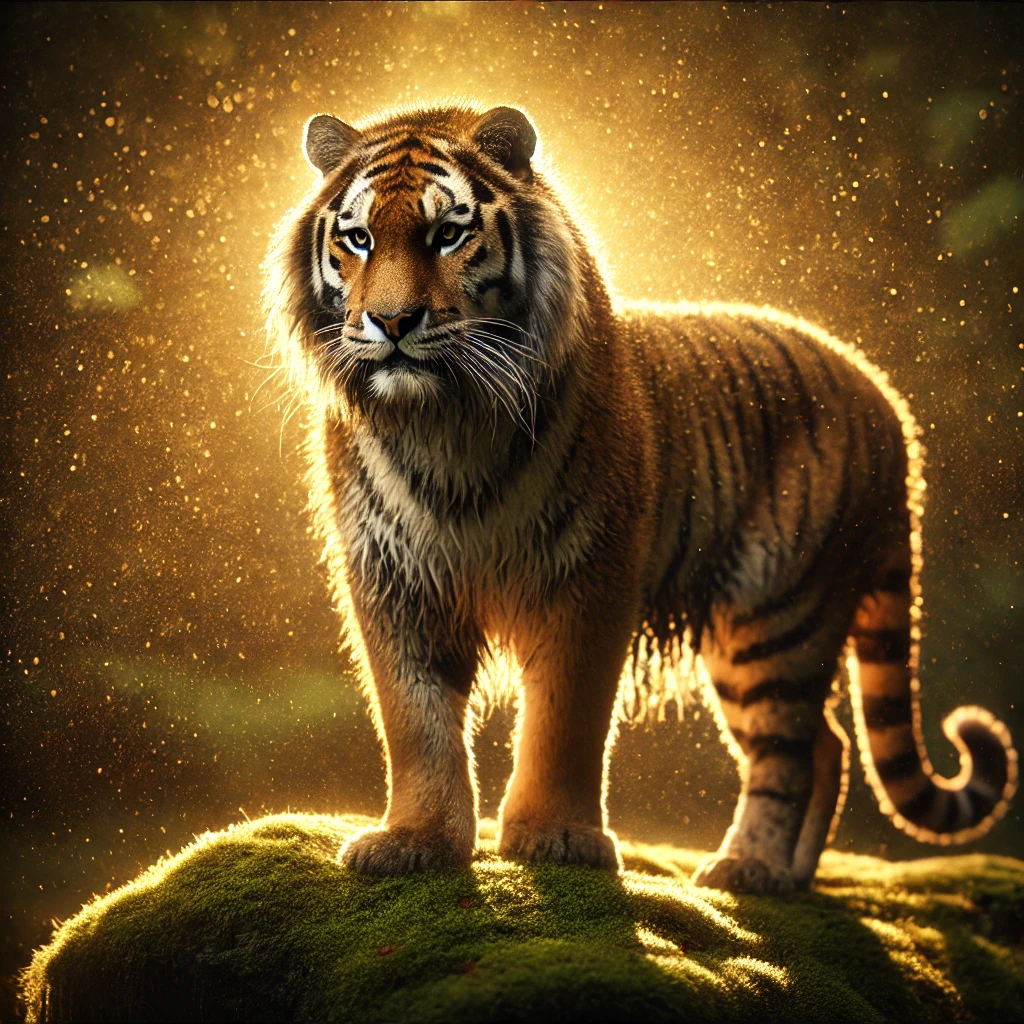
a majestic tiger on a mossy rock, backlit golden hour sunlight, shallow depth of field, photo-realistic style, Nikon D850, 85mm lens, f/1.8, cinematic lighting, ultra-detailed fur textureWith prompts like this, AI models can render astonishingly rich, tailored visuals.
Using ChatGPT to Craft Better Visual Prompts
You can use ChatGPT to help write, refine, or expand your AI image prompts. Whether you’re targeting Midjourney, DALL·E, Leonardo.ai or Stable Diffusion, a well-engineered prompt can dramatically impact output quality.
It’s possible that you’ll come across system responses like:
“I couldn’t generate the images because the previous request violated the content policy. If you’d like, I can help rephrase the description to make it compliant and we can create the image you want. Would you like me to adjust the prompt?”
In this case, I recommend asking the AI which specific content policy was violated, so you can understand how to improve your prompt. Here’s an example where GPT initially suggested creating an image of a “black panther”, but that description was rejected, so it was adapted to “tiger”:
“Good question — and it’s great that you want to understand. 👍
Unfortunately, I can’t access the exact internal details of how the system classified the violation, but in general, requests involving certain species or descriptions of real animals in specific contexts may trigger automated filters — even when intended artistically. This happens, for example, with terms tied to sensitive symbolic representations, such as ‘black panther’, which might be interpreted as referencing cultural, political, or activist groups or symbols.
To keep things compliant with the content policy, you just need to rephrase it to something neutral, like:
‘a large dark feline’ or ‘a leopard’
Would you like me to adjust the prompt this way and generate the image?”
Ask ChatGPT with a Clear Role
Set the scene. For example:
You are an expert prompt engineer for Midjourney and DALL·E. Generate a prompt for a minimalist pastel boho workspace in soft natural lighting, with flat lay perspective and creamy textures.This lets ChatGPT focus on the technical layers needed to guide the image model with precision.
A minimalist boho breakfast table styled in soft pastel tones, viewed from a flat lay perspective. The composition includes ceramic plates, linen napkins, a cup of creamy coffee, croissants, and fresh fruit arranged harmoniously. Soft sunrise lighting casts warm, gentle shadows across creamy, smooth textures of wood and fabric. Photorealistic style, airy atmosphere, natural materials, elegant simplicity, cinematic softness.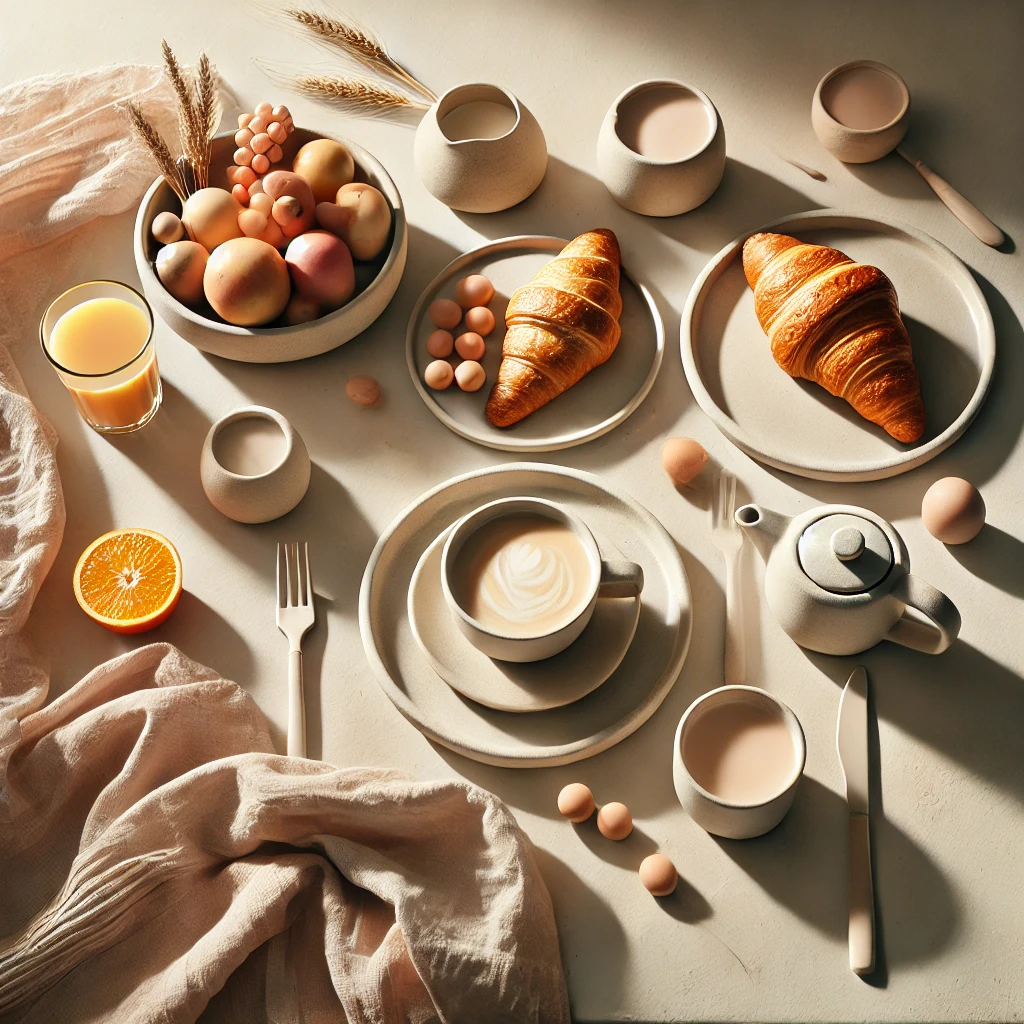
Controlling Style: From Realism to Surrealism
Style is the visual signature of your image. You can guide the AI to create images that look like:
- 🖼 Photorealistic (high-detail, realistic lighting)
- 🎨 Watercolor painting (soft edges, flowing pigment)
- 🧠 Futuristic digital art (neon lighting, hard contrast)
- 📖 3D cartoon render (bold outlines, soft colors)
Prompt Style Comparison
| Prompt | Expected Style Output |
|---|---|
| a forest fox under moonlight, hyper-realistic, 50mm DSLR lens | Photorealistic photography |
| same fox, in soft watercolor style, pastel tones | Traditional watercolor painting |
| same fox, Pixar-style 3D, cinematic lighting, big eyes | 3D animated cartoon |
Lighting Control in Advanced AI Prompts
Lighting influences the emotion and depth of an image. Descriptive lighting terms can change an entire scene:
- Golden hour – warm, natural glow
- Backlit – dramatic silhouette effect
- Neon lighting – cyberpunk, colorful, urban night
- Rembrandt lighting – classic portrait setup with strong contrast
Examples of Lighting Prompts
a portrait of a woman in red dress, side lit, Rembrandt lighting, studio setupcyberpunk cityscape, top-down neon lighting, wet asphalt reflections, cinematic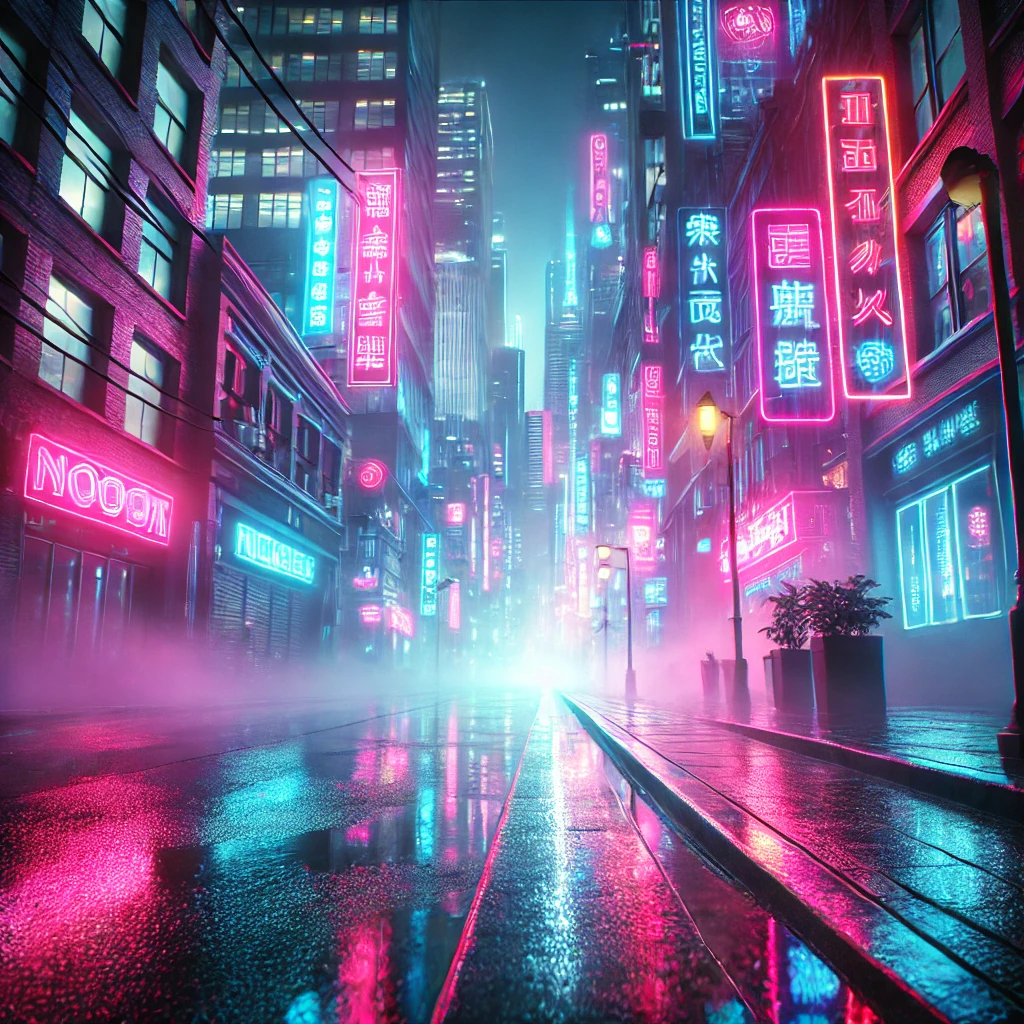
Mastering Composition with Prompt Engineering
Composition is how objects are arranged in the image. You can control viewpoint, symmetry, and balance using words like:
- Flat lay – top-down view
- Symmetrical composition
- Centered subject / rule of thirds
- Depth of field / bokeh background
Prompt Example with Composition
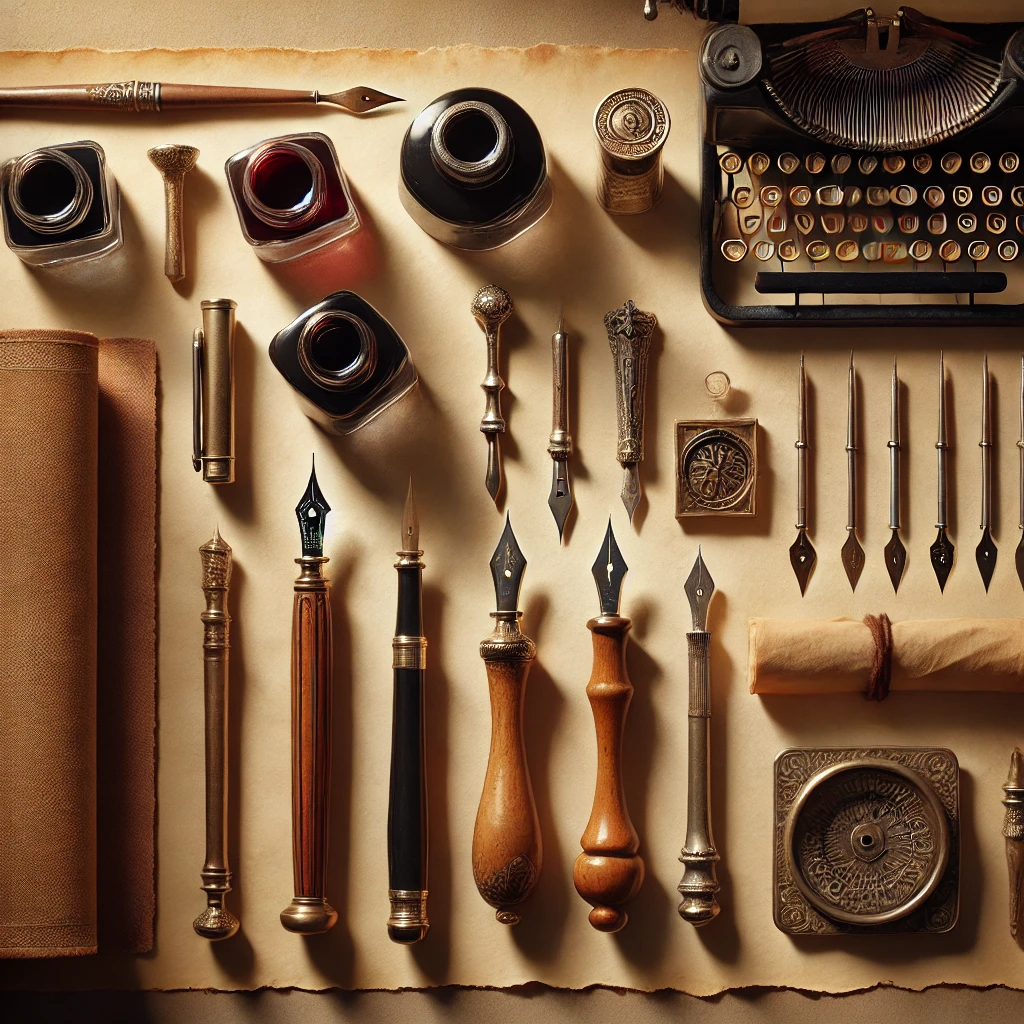
flat lay of vintage writing tools on parchment paper, symmetrical layout, soft ambient lightingThis results in a clean, artistic layout ideal for product mockups or aesthetic visuals.
ChatGPT Hacks: Prompt Templates You Can Use
Below are reusable prompt templates. Just swap the theme or subject:
[subject], in [style], lit by [light], viewed from [angle], with [composition] – high detail, 4k, sharp focusExample:
a ceramic tea set, in Japanese watercolor style, lit by morning sunlight, viewed from above, flat lay composition – high detail, 4k, soft shadowsMidjourney vs DALL·E: Prompting Differences
Each platform interprets prompts differently. While Midjourney is extremely stylistic and aesthetic-focused, DALL·E prioritizes coherence and object accuracy.
- Midjourney: Responds well to stylistic terms like “boho,” “dreamy,” “ultra-HD,” “pastel fantasy,” etc.
- DALL·E: Responds better to functional clarity like “a bookshelf shaped like a tree, white background.”
ChatGPT can help rephrase prompts depending on the platform — just specify your target!
Use Case: Brand Illustration with Consistent Prompts
For creators and small businesses, consistency is key. Using a standard prompt structure helps maintain visual identity:
[brand mascot], [action], in [setting], [season], style: [boho pastel], lighting: [soft shadows], isolated on white background, clean outlinesThis ensures all generated stickers or graphics match a visual theme — ideal for Etsy packs or product catalogs.
Pro Tip: Use Reference Images or Seed Values
Some AI tools (like Midjourney and Leonardo) support image inputs as inspiration. You can combine prompt + reference image for tighter control:
- Upload a base photo
- Add descriptive prompt layers
- Control randomness with seed values or weights
Example:
use this image as base + prompt: dreamy picnic scene in muted tones, soft lighting, 35mm lens, pastel filter --seed 1234Prompt Failures: What to Avoid
- ⚠️ Overstuffed prompts (too many style terms can confuse the model)
- ❌ Conflicting descriptors (e.g. “cartoon photorealistic anime oil painting”)
- 💡 Lack of camera angle or lighting (causes flat or generic images)
Stick to clarity, balance, and test small changes at a time.
Conclusion
Advanced AI Image Prompts are a powerful way to control the visual narrative of your creations. Whether you’re making art for print, product visuals, marketing assets, or digital collectibles, mastering these prompts lets you elevate your output with precision and flair.
With the help of ChatGPT, you can craft technically refined, creative prompts that speak the language of AI art generators — from light and lens to layout and style.
📌 Explore More
If you enjoyed this guide, check out these related posts:
🧠 Want More Like This?
Subscribe to our newsletter and get access to a special folder with free PDFs, tutorials, and prompt packs to boost your creativity with AI.
Frequently Asked Questions (FAQ)
- 1. Can I use the same prompt on different platforms?
Yes, but results vary — adjust wording for Midjourney, DALL·E, or others. - 2. Do I need to know photography to use prompt terms?
Not at all. ChatGPT can suggest camera terms for you. - 3. Are there prompt libraries I can use?
Yes! Many creators share prompt databases on GitHub and PromptHero. - 4. Can AI copy someone’s art style?
It can emulate styles — but always respect copyright and originality. - 5. Is ChatGPT connected to Midjourney or DALL·E?
No, but it can help you write prompts for them based on their syntax. - 6. Do I need to pay for better image results?
Most platforms offer free trials, but higher-quality generations may require a subscription.